System Design
The CenterScape application server includes the main application server and a software engine known as CenterScape Core or Zone Manager. The main application server stores its data and configuration setting in a SQL database. This can be either Microsoft SQL Server or PostgreSQL. CenterScape communicates with readers via its built in CenterScape Core/Zone Manager engine or a CenterScape Core server that is optionally installed on another host. The CenterScape Core / Zone Manager engine configures the radios on the RF Code readers and listens for tag beacons received by each reader. The engine converts these beacons to location and sensor information based on observable tag beacons that is then sent to CenterScape application server in real time.
The logic and rules that CenterScape Core uses to determine correct sensor and location telemetry based on tag beacons are configured in the CenterScape application server and passed to the CenterScape Core engine. There is no persistent record of this data that is stored in the CenterScape Core / Zone Manager. The CenterScape application server is tasked with storing and evaluating relevant data from CenterScape Core based on rules defined in CenterScape. With most installations the CenterScape Core / Zone Manager engine that is included with the application server install is sufficient and additional CenterScape Core installations are not needed. The diagram below omits this component for simplification. Additionally, the TCP port numbers provided are defaults that can be modified if desired, though RF Code recommends that 6500 be used for reader communications for simplicity.
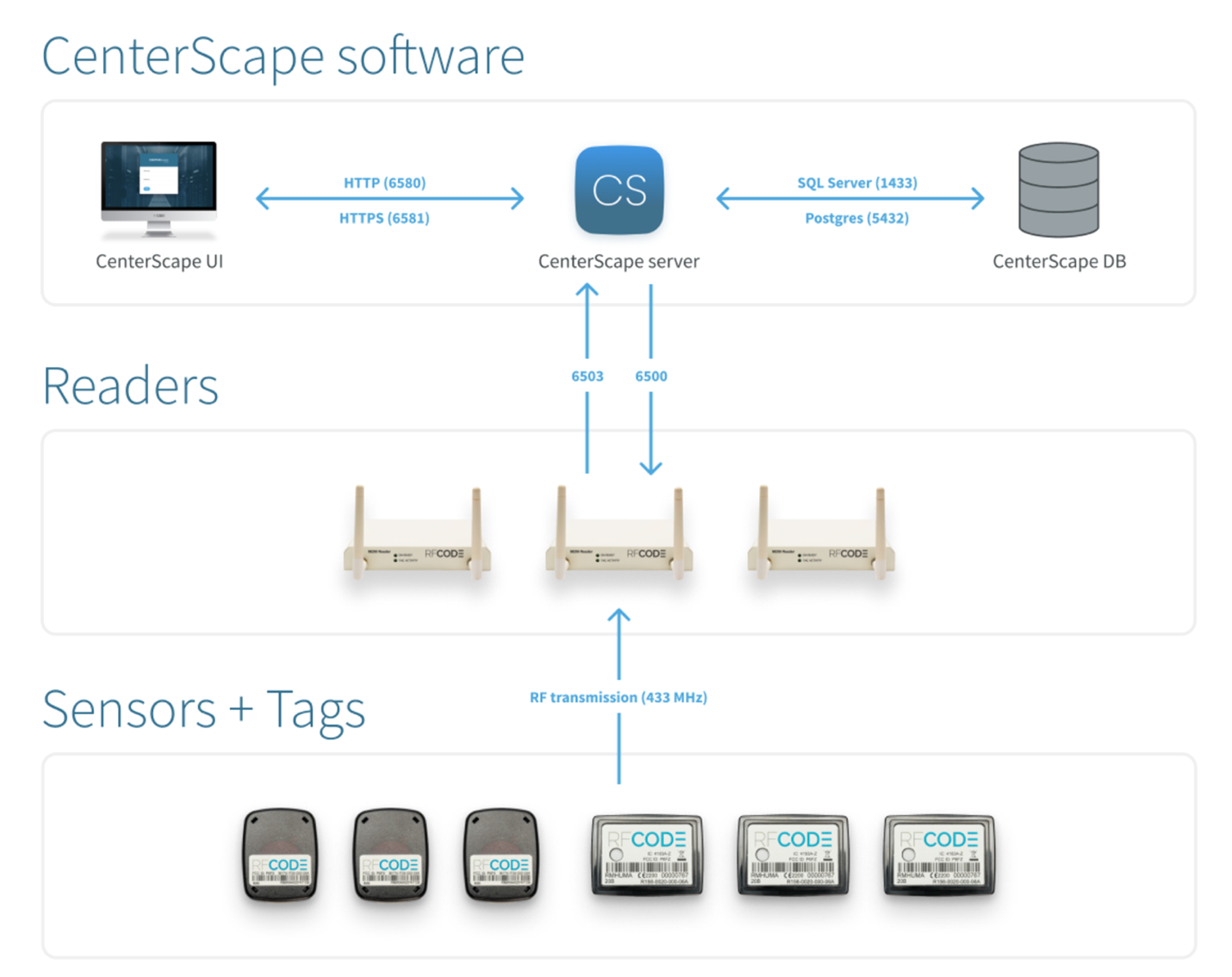
Note: Reader communication initiated by the reader to CenterScape on port 6503 is ONLY for “up-connect” mode where the reader is on a network inaccessible from CenterScape where connecting to the reader on port 6500 is not possible. 6503 and 6500 are not used at the same time on a reader.